Bilingual PDF translation side by side

Upload a PDF document or paper to download a bilingual PDF with original and translated pages, or a translation-only copy. Scanned pages use OCR. You need only a free LangBox account.

Translate a PDF now

Drop a PDF file here

Up to 100 MB, any page count · scanned pages use OCR

Your PDF is uploaded to LangBox to be translated. You can download the translated files from your account for 24 hours after upload.

Video · 20 seconds

Bilingual PDFs, side by side

The original on the left, its translation on the right, the layout kept.

Requirements and file limits

  • A free signed-in LangBox account is required, and translation uses your 30-day free token allowance.
  • Files must be up to 100 MB, with no page limit and one active PDF translation job per account at a time.
  • Downloads remain available for 24 hours; complex layouts and exact formatting preservation are not guaranteed.

Scanned PDF, or not sure the text can be read? Check your file first

Your translated PDF output

You receive a downloadable translation-only PDF or a bilingual PDF containing original and translated pages. Always verify tables, formulas, and numbers against your original file.

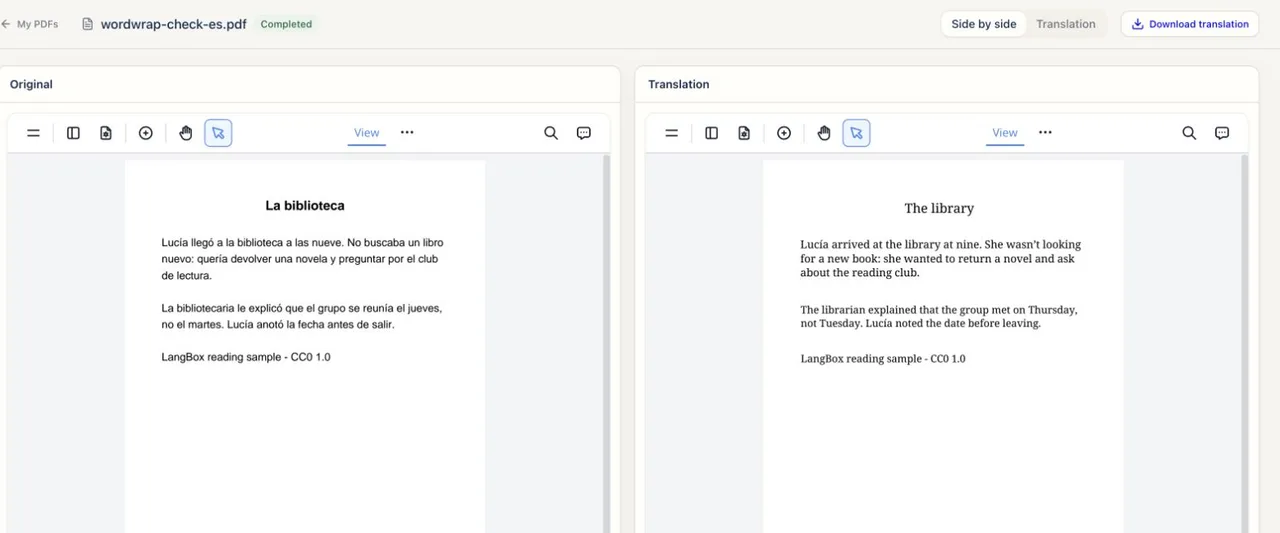
A Spanish PDF and its English translation side by side in the bilingual PDF reader.
A real screenshot of LangBox in use.

Reading a research paper? How to translate it and check the result →

Compare real PDF inputs and outputs

These are archived LangBox production results from 20 September 2026, not fresh benchmark runs. Open the original and unedited output side by side. Use the examples below to judge whether the output suits your document.

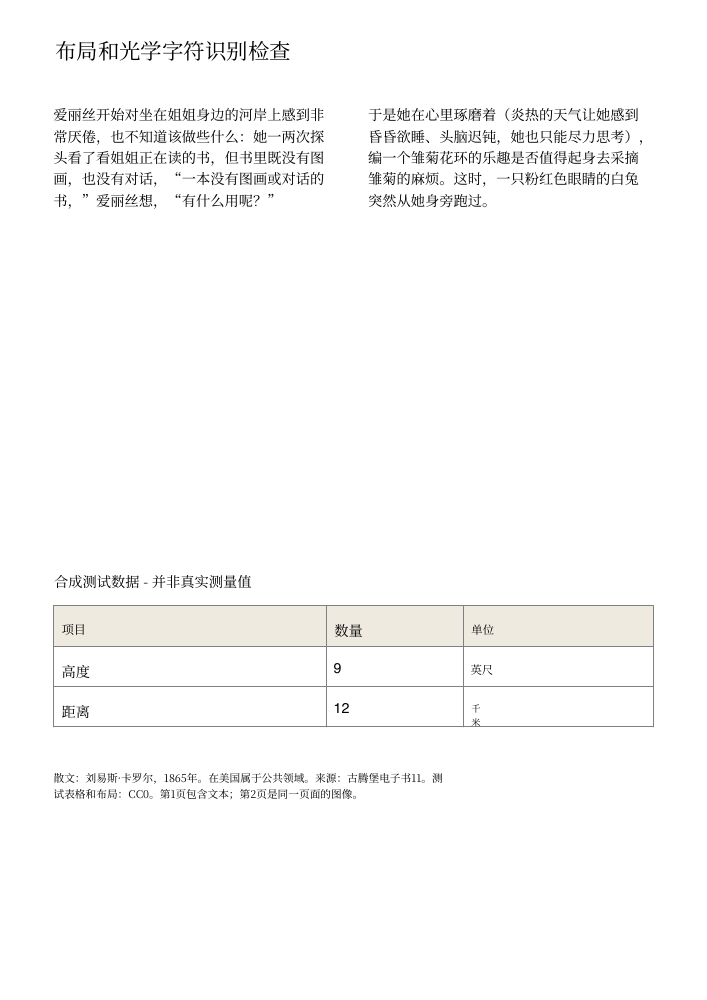
Selectable text: two pages of prose

The Alice sample translated from English to Simplified Chinese in 5 minutes 19 seconds using DeepSeek V4.1 Flash. Both pages were visually checked. The phrase 'nine feet' remained intact, though some wording was awkward. This single short run is not a completion-time estimate.

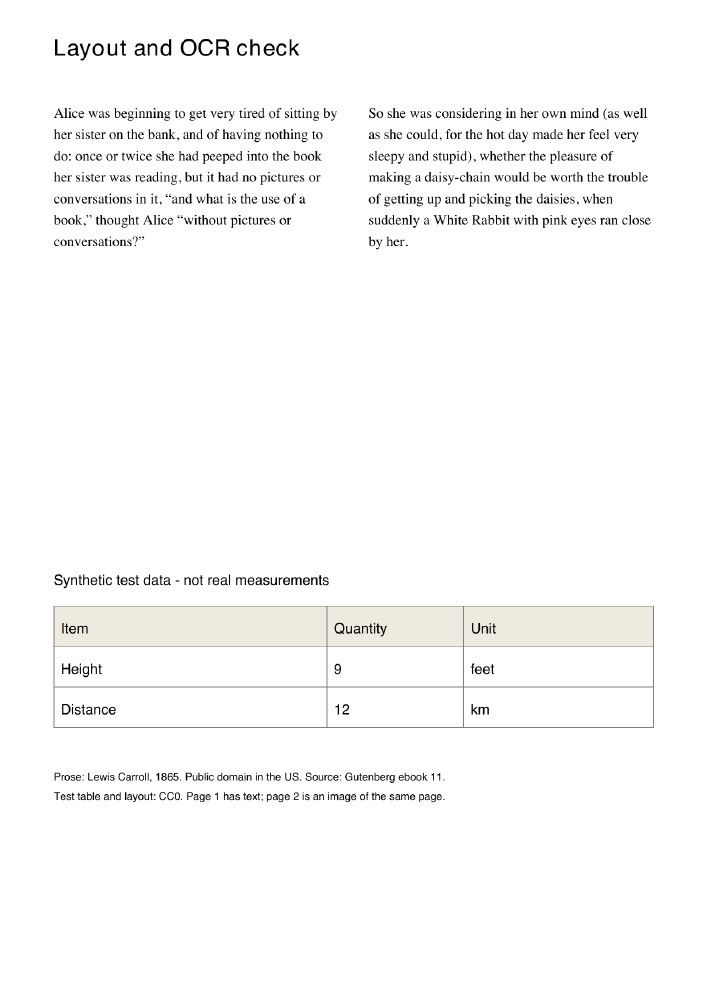
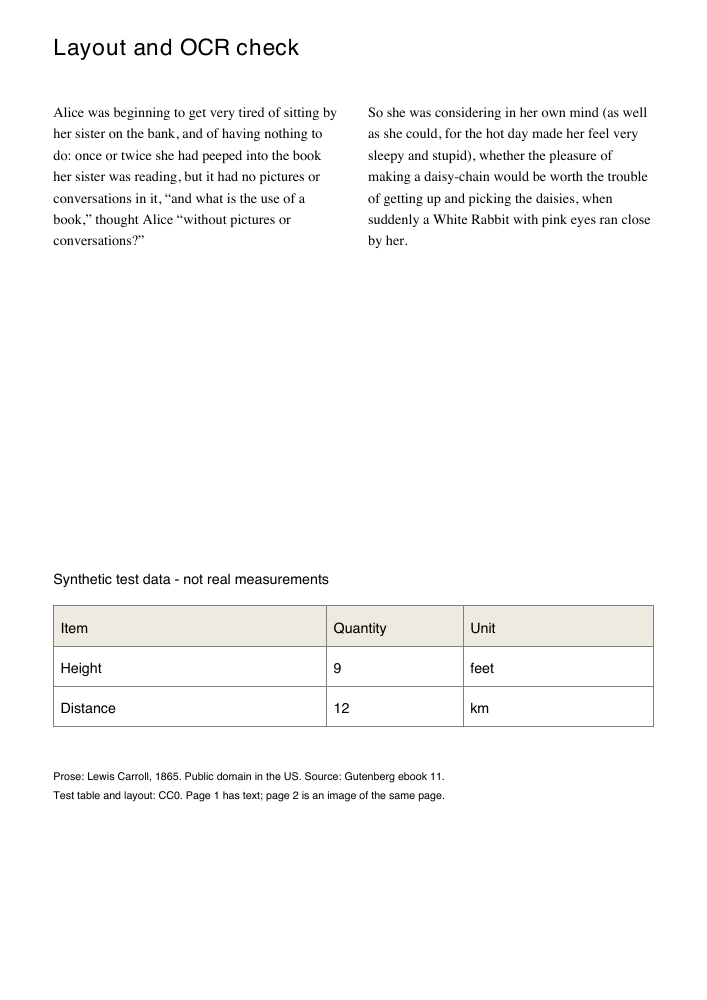
Two columns and a small table

Page 1 of the layout fixture contains selectable text, two columns, and a synthetic table. In the unedited Chinese output, paragraphs stay separate and the values 9 feet and 12 km remain visible. One translated unit wraps awkwardly. This diagnostic fixture is not an academic paper.

Click either page to open the PDF. The source and output shown come from the same archived test.

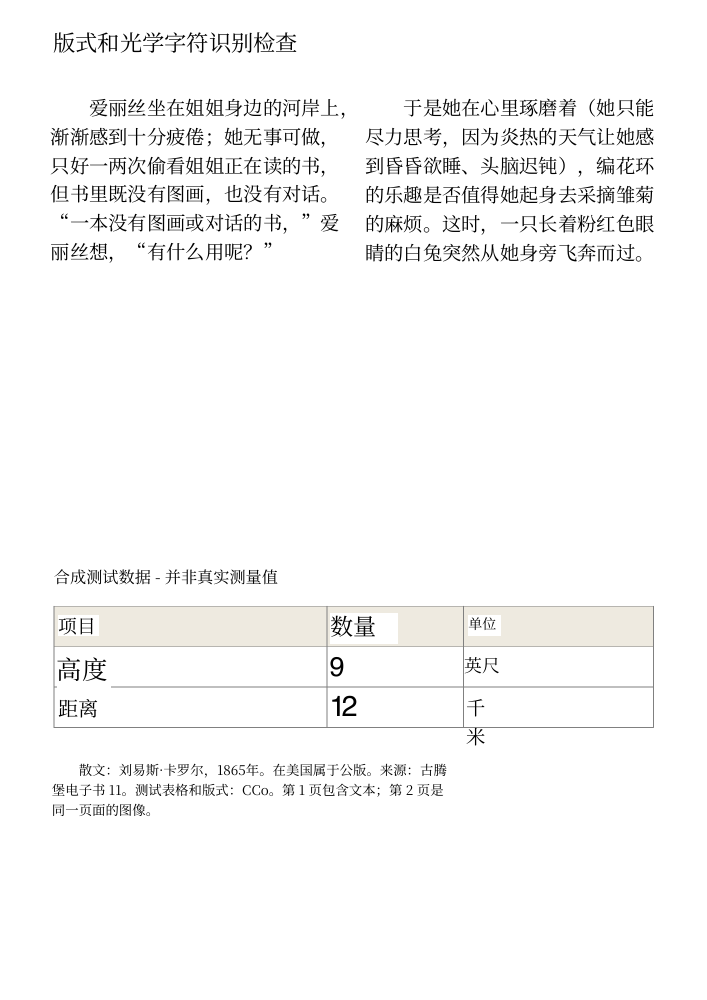
The same page as a scan

Page 2 is an image of page 1. The final OCR rerun keeps the paragraphs readable, but CC0 becomes CCo and the typography changes. This two-page rerun used GPT-5.6 Luna and took about 96 seconds. Because it used a different model than the prose test, do not compare these times as a benchmark.

Click either page to open the PDF. The source and output shown come from the same archived test.

Check these details before trusting a result

Compare names, negations, decimal points, units, table cells, and formulas against the original. A completed job does not guarantee these details are right. PDF translation requires a free account and credits, accepts files up to 100 MB with no page limit, and allows one active PDF job per account. Downloads remain available for 24 hours.

Test date, method, and limitations (English)

How to translate a PDF

  1. Sign in and select your PDF

    Log in to your free LangBox account and upload a PDF file up to 100 MB; there is no page limit.

  2. Run translation and OCR

    Start the job and wait for processing; scanned pages are read with OCR before translation.

  3. Verify and download within 24 hours

    Download your bilingual or translation-only PDF within 24 hours and check tables, formulas, and numbers against the original.

Free quota and limits

Without sign-in

  • You can choose a PDF and the language pair. The translation starts after you sign in with Google.
  • PDF translation has no guest trial. The job can run for hours on the server, and the result is stored in your account, so a sign-in is required.

With a free account

  • 10,000,000 tokens every 30 days, free. A PDF translation uses tokens from this allowance.
  • Files up to 100 MB with any page count. One PDF job runs per account at a time.
  • Scanned pages are read with OCR before translation.
  • Translated files stay in your account for 24 hours, then they are deleted.

Questions before you upload

How large can the PDF be?
Up to 100 MB per file, with no page limit. One translation job runs per account at a time, so a second file waits until the first one finishes.
Which languages are supported?
Source languages: English, Simplified Chinese, Japanese and Spanish. Target languages: Simplified Chinese, English, Japanese, Korean and Spanish. Choose the pair before you upload.
Is my PDF private?
The file is uploaded to LangBox only to translate it. The text of each page is sent to the translation model. The file and the result stay in your account for 24 hours so you can download them, then they are deleted. Nothing is shared with other users.
How long does it take?
The server translates page by page. Finished pages appear in the reader within minutes, while the rest of the job continues. A long paper or a scanned document takes longer. You can close the page and come back: the job keeps running in your account.
What does it cost?
Nothing. A free account gets 10,000,000 tokens every 30 days, and a PDF translation uses tokens from that allowance. There is no card and no payment step.
What do I get?
A bilingual PDF with the original and the translated page side by side, or a translation-only PDF, both ready to download. You can also read the result in the browser reader. Check tables, formulas and numbers against the original.
Keep learning after this tool

These tools handle one file at a time. The free LangBox Chrome extension brings the same translation to everything you read and watch, and saves new words for review.

Install FreeLangBox runs in Chrome on a computer.Email me the link