Image translator
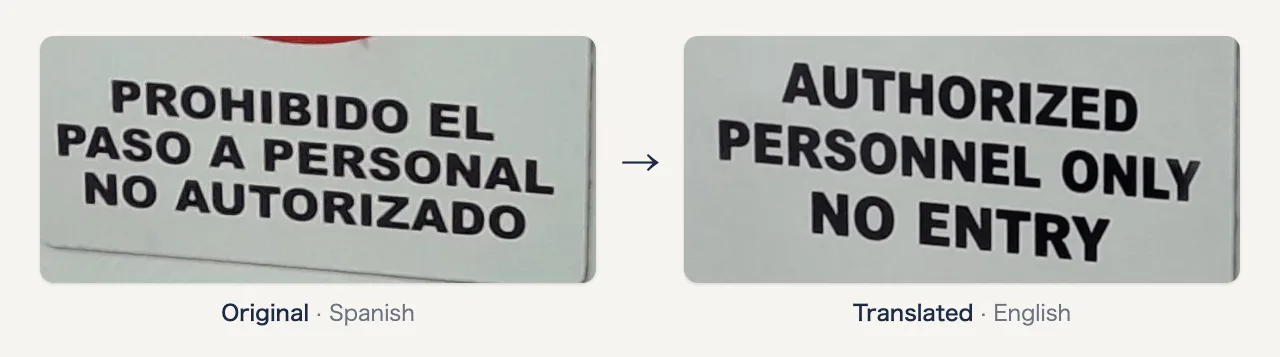
Translate menus, signs, labels and screenshots. An AI model redraws the image with the translation in place of the original text, in a similar style.
Drop an image here, paste it, or choose a file
Translate to
PNG, JPG or WebP, up to 20 MB
Free without an account: one image a day.
LangBox sends your image to an AI model provider for the translation and does not keep it.
Keep learning after this tool
These tools handle one file at a time. The free LangBox Chrome extension brings the same translation to everything you read and watch, and saves new words for review.
- Translate web pagesTranslation under each paragraph
- YouTubeDual subtitles, transcript and dictation
- Dictionary & word reviewDouble-click a word, review it later
Questions
- How does it work?
- An AI image model reads the text in your image and redraws the image with the translated text in the same place, with a similar font, size and color. Because the image is redrawn, small details can change slightly. Compare the result with the original.
- Which languages does it support?
- The model finds the language of the text itself, so you do not choose it. It translates into any language in the list. It works best with clear, printed text.
- Is it free?
- You can translate one image a day without an account. Sign in with Google to translate more. New accounts get free credits, and each image uses credits.
- Why is some text not translated correctly?
- Small, blurry, curved or handwritten text is hard to read, and the model can make mistakes. Use a sharp, well-lit image, crop it to the text, and check important text against the original.