Download YouTube subtitles as SRT or VTT
Save existing captions from a YouTube watch page in desktop Chrome as plain text, timed SRT or WebVTT files, or a bilingual SRT.
Free Chrome extension. Works on YouTube videos with captions, including auto-generated ones.
The desktop Chrome extension runs directly inside the YouTube watch page so it can display dual subtitles over the player and pause after each caption line for dictation or shadowing.
Limits and caption requirements
- Works in desktop Chrome with the LangBox extension on individual youtube.com videos that have captions.
- Saves captions from one non-live video at a time; does not transcribe raw audio, download video streams, or batch-export playlists.
- Original TXT, SRT, and VTT downloads need no account or tokens; bilingual SRT export requires translation tokens or an API key.
Formats
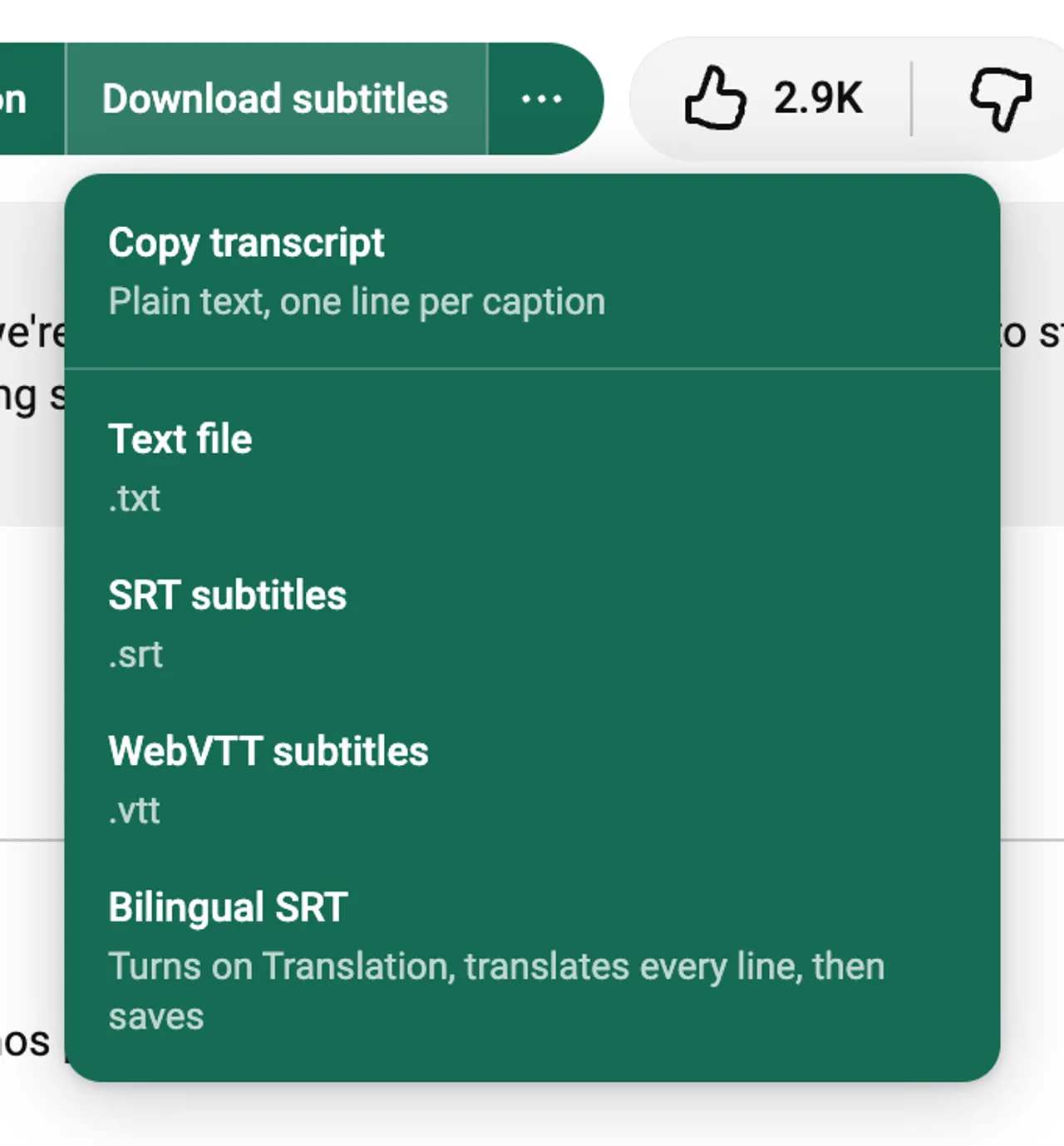
Copy transcript
The whole transcript as plain text, one line per caption, ready to paste into notes or a document.
Text file (.txt)
The same transcript saved as a file, without timings.
SRT subtitles (.srt)
Numbered captions with start and end times. Most video players and editors open SRT.
WebVTT subtitles (.vtt)
The web subtitle format, for HTML5 video players.
Bilingual SRT (.srt)
Each caption with its translation on the next line. Turn on Translation first. LangBox translates the lines that are left, then saves the file.
How to save a subtitle file
Open a captioned YouTube video
Load the video in desktop Chrome; for a bilingual SRT, turn on LangBox player translation first.
Click Download subtitles next to Like
Open the menu beside the Like button and choose Copy transcript, TXT, SRT, WebVTT, or Bilingual SRT.
Open the file from Downloads
Chrome saves the file to your computer named after the video title and subtitle language.
Before you start
- The video must have subtitles. Auto-generated subtitles work. LangBox does not transcribe audio by itself.
- One video at a time. Playlists and channels are not downloaded in bulk.
- Live streams are not supported.
- LangBox saves subtitles only. It does not download the video or the audio.
- Downloaded subtitles are for your own study. Respect the rights of the video's creator.
Questions
- Is the YouTube subtitle downloader free?
- Yes. Copying the transcript and saving TXT, SRT and WebVTT files need no account. Only the bilingual SRT uses LangBox translation: guests get a one-time trial of 2,000,000 tokens, and you can sign in with Google for a monthly allowance or use your own API key.
- Can I download auto-generated subtitles?
- Yes. If YouTube shows auto-generated subtitles for the video, LangBox can save them. When the video also has subtitles written by people in the same language, LangBox uses those.
- How do I convert YouTube to SRT?
- Open the video, click Download subtitles next to Like and choose SRT subtitles. The file keeps YouTube's timings.
- Can I download subtitles in another language?
- LangBox saves the subtitles in the language spoken in the video. For another language, turn on Translation and save the bilingual SRT, which has the original line and the translation.
- Does it work on a phone?
- No. Chrome extensions work only in Chrome on a computer.
Keep learning after this tool
These tools handle one file at a time. The free LangBox Chrome extension brings the same translation to everything you read and watch, and saves new words for review.
- Translate web pagesTranslation under each paragraph
- YouTubeDual subtitles, transcript and dictation
- Dictionary & word reviewDouble-click a word, review it later