Pronunciation
Checks vowel and consonant sounds against the original speaker to point out sounds that need work.
LangBox · Podcasts
Use LangBox Podcasts at learn.langbox.site to follow synced bilingual transcripts, save vocabulary, and shadow speakers one sentence at a time.
Free with a Google account: 10,000,000 tokens every 30 days (about 8 hours of audio).
Paste a supported public podcast link at learn.langbox.site/podcasts to check estimated tokens and generate or open the transcript.
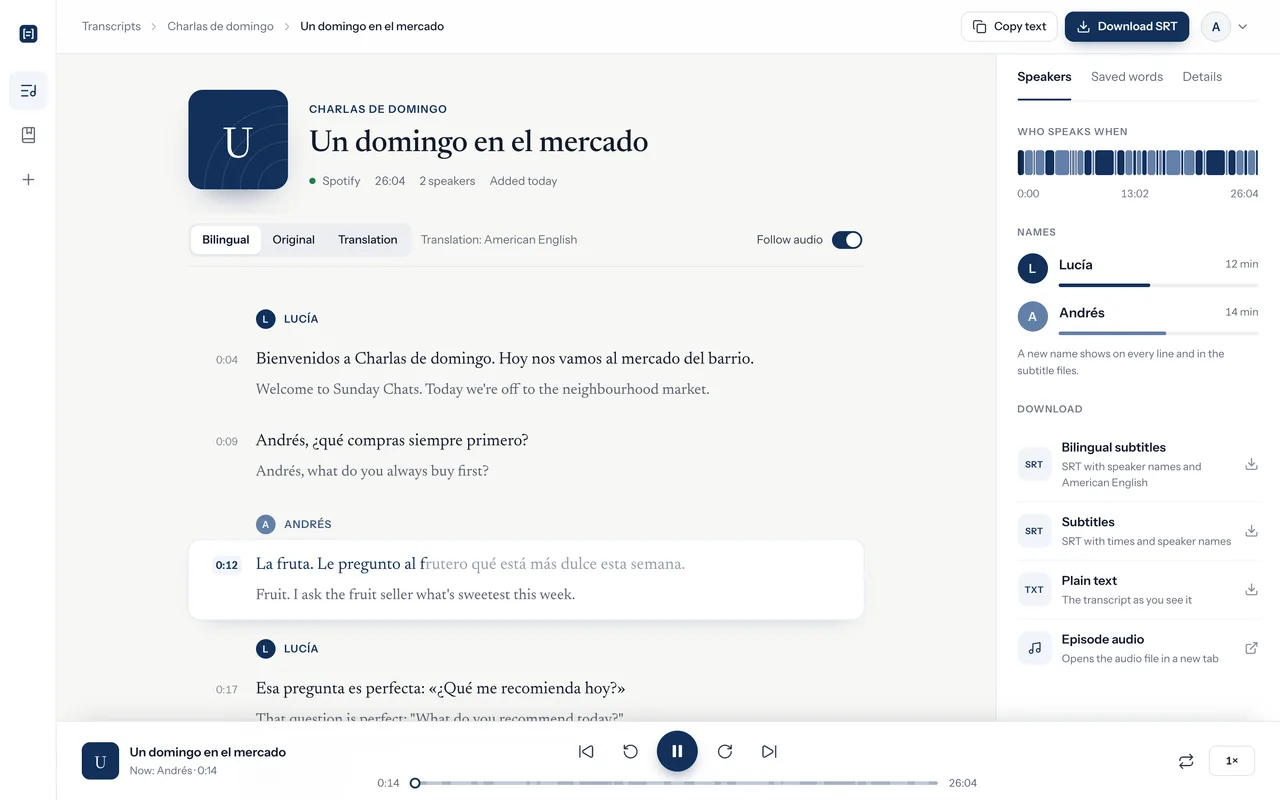
Play the synced audio, toggle bilingual translations, and save unfamiliar words to your episode and personal vocabulary lists.
Enter shadowing mode, record yourself repeating a sentence, and review separate guidance on pronunciation, rhythm, and intonation.
Speaking practice
Open shadowing mode on any episode in your library. Listen to native speech, record yourself repeating the line, and see model feedback right next to the transcript.
Let’s take a moment to think about what comes next.A short sentence for practising connected speech.
Recognized speech
Let’s take a moment to think about what comes next.
Pay attention to how the speaker connects words. Replay the sentence, slow down playback, or loop the audio until it feels familiar.
Allow microphone access in your browser and record yourself speaking. Speak at a normal conversational volume in a quiet room.
See what the model heard alongside separate feedback for pronunciation, rhythm, and intonation. Pick one thing to adjust.
Listen to your recording next to the original speaker. Try the sentence again to smooth out rough spots, or move on to the next line.
Feedback breakdown
The model compares the reference audio with your recording to offer feedback. The transcript simply shows what words the model heard, and having all words recognized does not mean your pronunciation was completely accurate or natural.
Checks vowel and consonant sounds against the original speaker to point out sounds that need work.
Looks at natural pausing and word stress. Saying every word as a separate block can make rhythm sound unnatural.
Follows how your pitch rises and falls across the sentence, especially toward the end of phrases.
These scores are guides for daily practice, not official exam results. Natural vocal differences or valid accents are not mistakes. If background noise, quiet speech, or insufficient audio makes a dimension unassessable, it will show a dash (—). Scores can vary, including across evaluations of the same recording.
Transcripts and words
Read along, translate tricky lines, and collect words across episodes into your personal list.
Switch between the original text, a bilingual view, or just translations. Translations generate when you request them and stay saved for that exact text and language, using no extra tokens when you reopen the page.
Look up words in English, Spanish, or French to see definitions and attach them to the current episode. The episode word list keeps your vocabulary in context.
Saving a word also adds it to your personal vocabulary list. One word can connect to multiple episodes. Removing a word from an episode keeps it in your personal list, while deleting it from your personal list removes it everywhere.
Features
Audio sync
The transcript moves with the speaker so you never lose your place. Tap any sentence to jump the audio straight to that moment.
Speakers
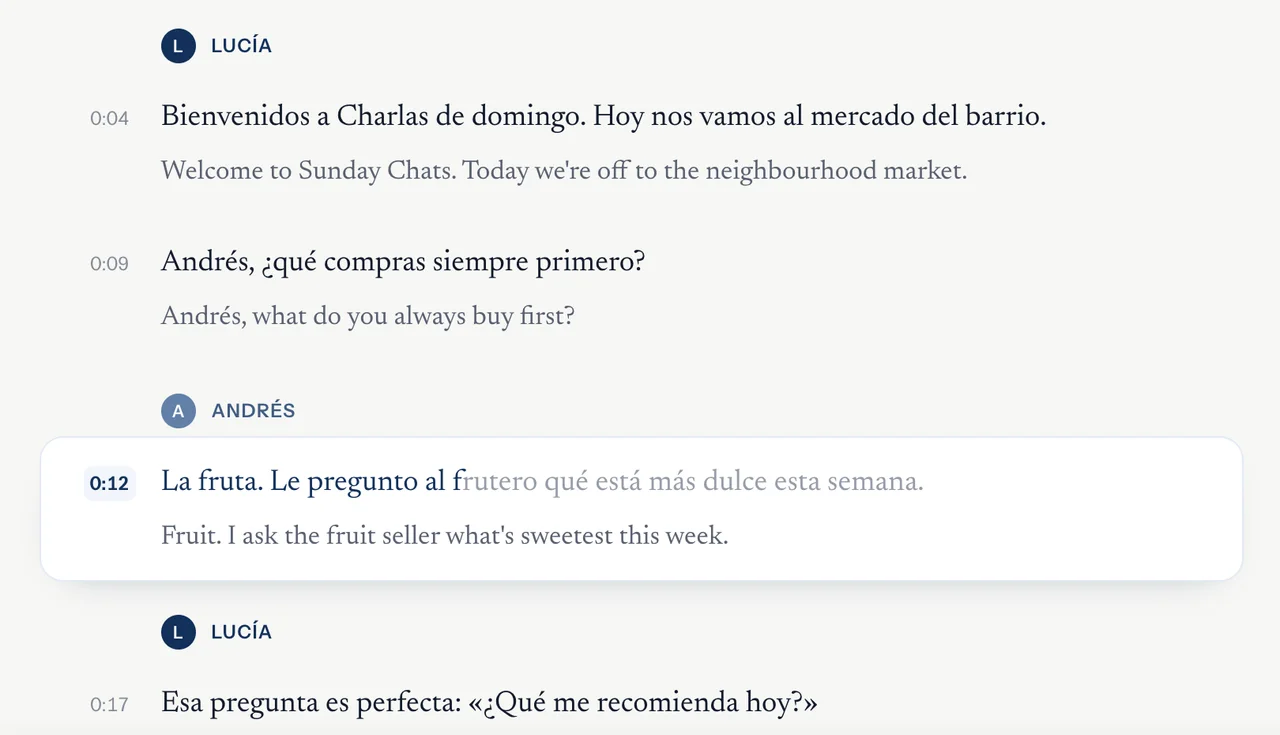
Conversations are much easier to follow when you know who is talking. LangBox spots voice changes and labels each speaker throughout the episode.
Library
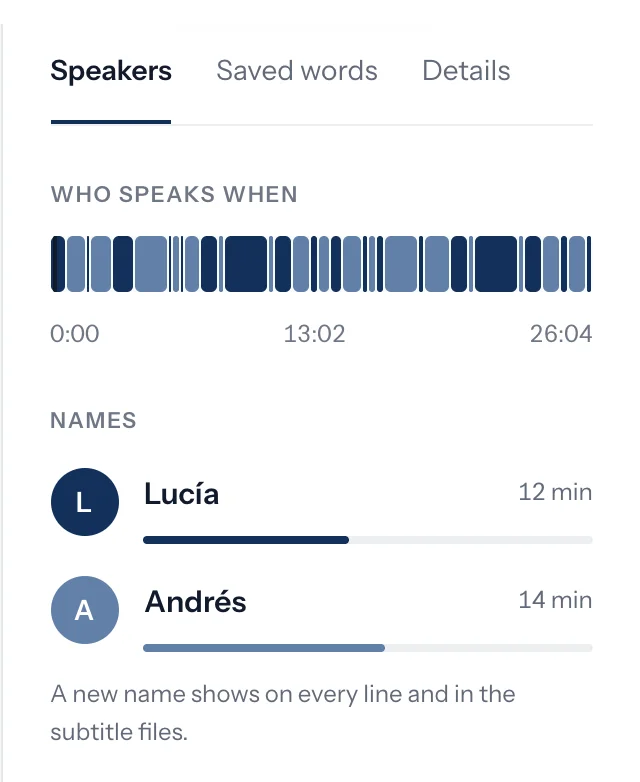
Your transcripts stay organized by show in your library. Check on new imports, search your collection, and pick up right where you stopped.
Podcast links
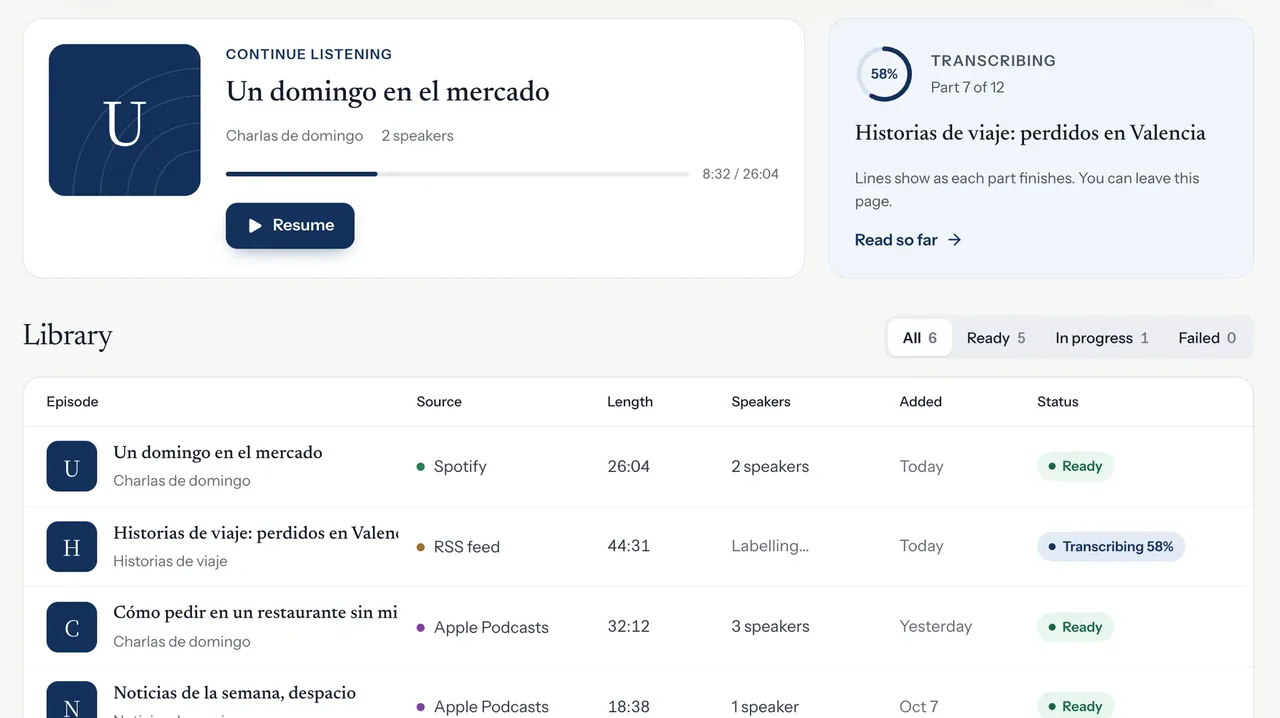
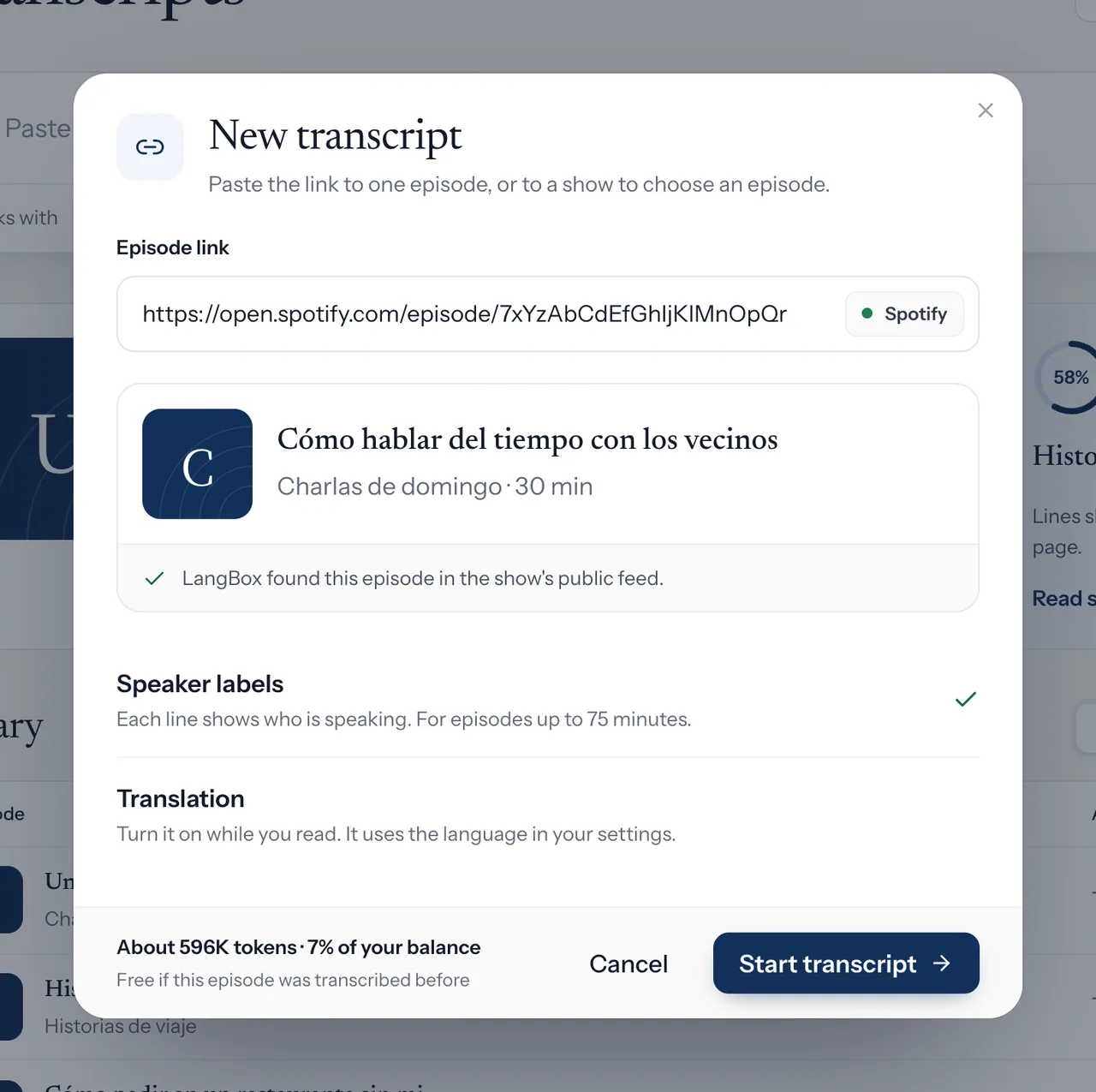
Paste a link to see the episode title, show name, runtime, and token cost before you start. Spotify links match automatically to public RSS feeds.
Supported links
Paste an episode link, or paste a show feed to choose from the latest releases.
| Platform | Link format | Notes |
|---|---|---|
| Xiaoyuzhou | Episode link (xiaoyuzhoufm.com/episode/…) | Paid, subscriber-only, or private episodes cannot be imported. |
| Apple Podcasts | Episode link (with ?i=…) or show URL | Show links let you choose from the 50 most recent episodes. |
| Spotify | Episode link (open.spotify.com or spotify.link) | Matched via public RSS feeds. Spotify-exclusive shows without an RSS feed are not supported. |
| RSS feed | Public podcast RSS feed URL | Choose from the 50 most recent episodes in the feed. |
| YouTube | Not supported on this page | To study YouTube videos, use the LangBox browser extension. |
Exports & vocabulary
Download timed subtitle files with both original audio and translated text, plus speaker names.
Clean subtitle files in the original language with timestamps and speaker tags.
Clean text files divided by speaker turns, ready for notes or other study apps.
Look up words in English, Spanish, or French audio to check definitions and save them to your word list.
FAQ
No. LangBox Podcasts runs completely in your web browser. Just sign in, pick an episode, open shadowing, and allow microphone access.
Pronunciation, rhythm, and intonation are different speaking skills. Recognizing words correctly does not mean pronunciation is perfect, so we show separate feedback instead of a single overall grade.
Your voice recording is sent securely to LangBox and our model provider for evaluation. For playback, recordings stay stored only in this browser, not in a permanent cloud audio library.
Creating new transcripts, running speech evaluations, and generating new translations use your token balance. Reading existing transcripts and viewing saved translations uses no tokens.
Start with short, simple sentences on topics you find interesting. Listen to the natural rhythm first, then focus on one detail at a time, like linking two words smoothly or copying pitch.
Yes, during the public beta. Signing in with a Google account gives you 10,000,000 free tokens every 30 days. That covers about 8 hours of audio at roughly 1.2M tokens per hour. Opening an episode that someone already transcribed in LangBox uses no tokens at all.
LangBox works with most major languages, including English, Spanish, French, Mandarin Chinese, Japanese, and Korean. Translations will appear in the target language you pick in your settings.
Transcripts are generally very reliable on clear recordings, though rare names or technical terms might need a quick check. Speaker labeling works best with 2 to 4 voices. Episodes over 75 minutes still get full text, just without speaker names.
When you paste a Spotify link, LangBox finds the episode on the show's public RSS feed. Episodes exclusive to Spotify cannot be imported because they don't have a public feed.
Most episodes finish within a few minutes. Transcripts appear in sections as they complete, so you can start reading right away. You can also close the page while processing finishes.
LangBox creates transcripts from public audio feeds. Xiaoyuzhou plays directly from the source host; for Apple Podcasts, Spotify, and RSS, audio is cached for your listening session. Transcripts, speaker edits, and saved words stay tied to your account.
More study tools
Pick an episode you enjoy, record your voice sentence by sentence, and get clear feedback to guide your practice.
Sign in with Google · 10,000,000 tokens included every 30 days