Bilingual PDF translation side by side
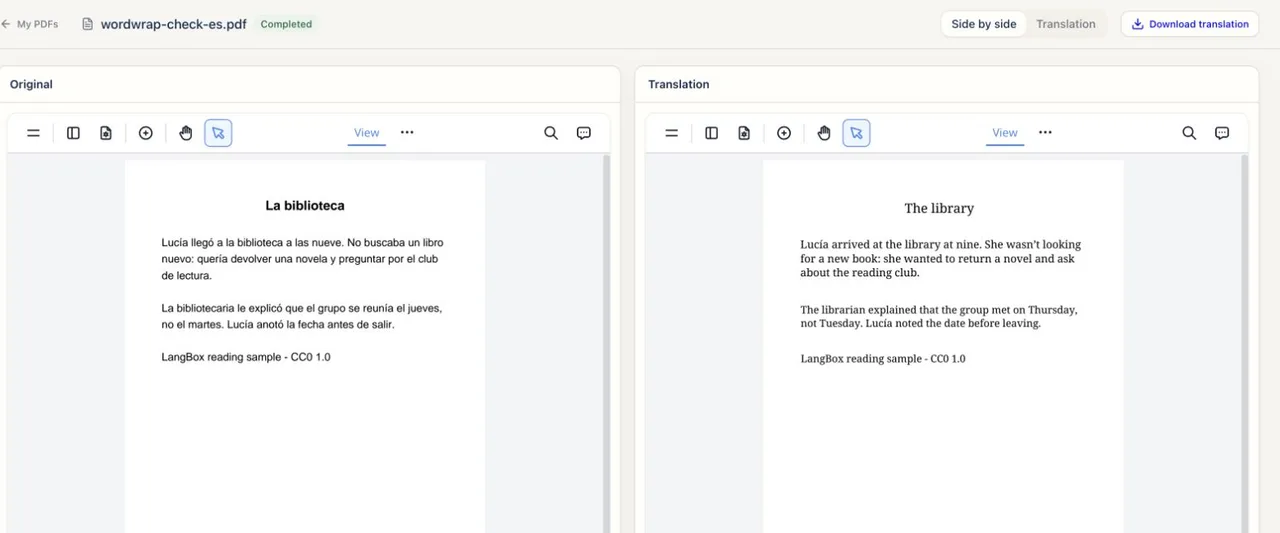
Upload a PDF document or paper to download a bilingual PDF with original and translated pages, or a translation-only copy. Scanned pages use OCR.
Translate a PDF now
Drop a PDF file here
Up to 100 MB and 100 pages · scanned pages use OCR
Your PDF is uploaded to LangBox to be translated. You can download the translated files from your account for 24 hours after upload.
Requirements and file limits
- A free signed-in LangBox account is required, and translation uses your 30-day free token allowance.
- Files must be up to 100 MB and 100 pages, with one active PDF translation job per account at a time.
- Downloads remain available for 24 hours; complex layouts and exact formatting preservation are not guaranteed.
Scanned PDF, or not sure the text can be read? Check your file first
Your translated PDF output
You receive a downloadable translation-only PDF or a bilingual PDF containing original and translated pages. Always verify tables, formulas, and numbers against your original file.
Reading a research paper? How to translate it and check the result →
How to translate a PDF
Sign in and select your PDF
Log in to your free LangBox account and upload a PDF file up to 100 MB and 100 pages.
Run translation and OCR
Start the job and wait for processing; scanned pages are read with OCR before translation.
Verify and download within 24 hours
Download your bilingual or translation-only PDF within 24 hours and check tables, formulas, and numbers against the original.
Keep learning after this tool
These tools handle one file at a time. The free LangBox Chrome extension brings the same translation to everything you read and watch, and saves new words for review.
- Translate web pagesTranslation under each paragraph
- YouTubeDual subtitles, transcript and dictation
- Dictionary & word reviewDouble-click a word, review it later